Windows XP alterar data e hora
Carregue em Iniciar e Painel de controlo
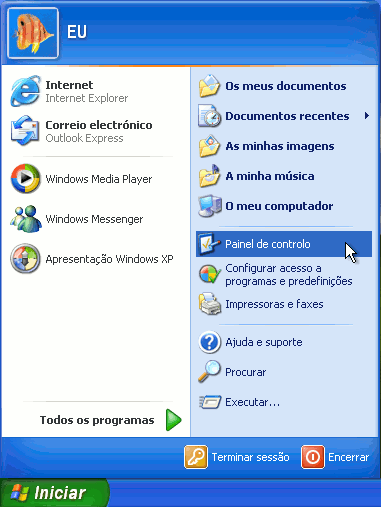
De seguida escolha 
Escolha Alterar a data e hora

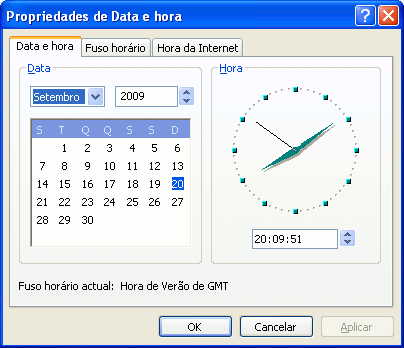
Vai aparecer a seguinte janela, onde tem que corrigir a hora e/ou data e carregar em  para confirmar.
Follow SOS-Admins on Google
SOS-Admins is your ultimate source for the latest updates, exclusive guides, and news. Don t miss our upcoming content, add us to your favorites and stay connected with the community on Google!
